Local face detection
MediaPipe detects the main visible face without sending frames to a server.
Local AI video framing
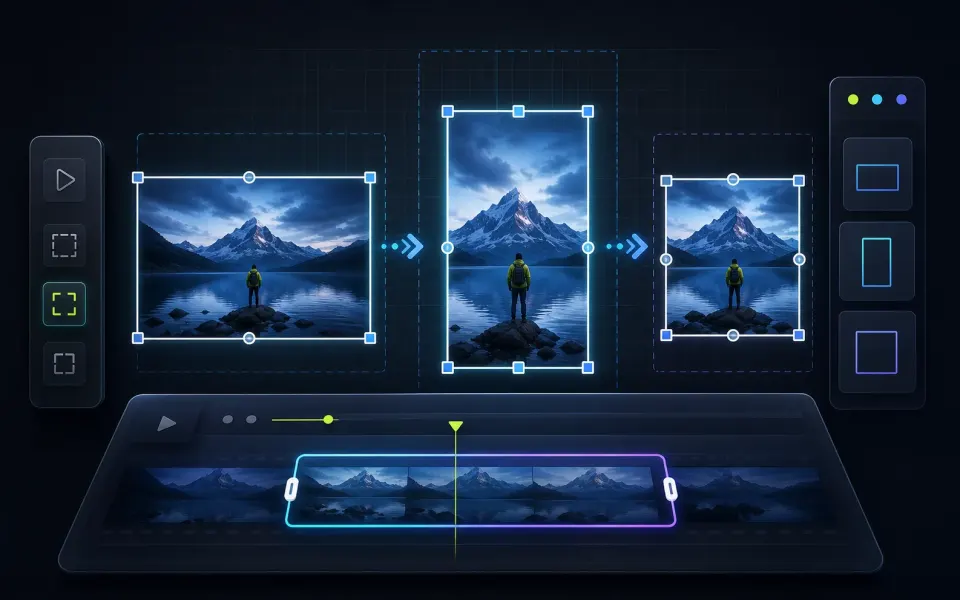
Follow the main person and reframe video for portrait or square output.
Choose a portrait or square format.
Balance stability and tracking speed.
Three steps to finish the browser workflow.
Select a video with one clear main face and choose a portrait or square output ratio.
The browser detects the largest visible face and smooths the crop path across frames.
Preview the reframed MP4, confirm subject framing and audio, then download it.
Core details about privacy, browser support, output, and practical limits before you start.
MediaPipe detects the main visible face without sending frames to a server.
Temporal smoothing keeps the crop centered without abrupt jumps.
Video decoding, rendering, audio copying, and export stay on this device.
Find quick answers about privacy, browser support, exports, and what to try when a file is heavy.
This browser tool processes the selected media locally on this device. The file is not uploaded to ArtPlayer servers for this workflow.
No. ArtPlayer browser tools do not add watermarks to exported files.
The work runs in your browser, so speed depends on your device, browser, memory, source size, and the export settings needed for the result.
Recent Chrome, Edge, and other modern Chromium browsers usually work best for heavier browser media processing.
Try a smaller source, close other heavy tabs, reduce resolution or duration first, and keep the tab open until the export finishes.
Single-person talking-head, presenter, and interview videos with a clear face work best. Choose 9:16, 1:1, or 4:5 output. Fast cuts, crowds, and videos without a visible face may need manual cropping.
No. Face detection, reframing, encoding, and download run in your browser.
Crop Video keeps one fixed crop. Auto Reframe moves the crop smoothly to follow the main detected face.
Continue editing with nearby ArtPlayer tools that work with the same local, browser-first workflow.
Cookie choices
ArtPlayer uses necessary cookies for app security and preferences. Optional analytics and advertising cookies only run when you allow them.
Cookie Policy