Paste an Instagram link
Supports public Instagram Reel and video post links.
 Artplayer
Online video tool
Use this free Ins to MP4 downloader to save public Instagram Reels and video posts. Paste a link, then download an available MP4 or its cover image.
Public Instagram videos only. Download content you own or have permission to save.
 GIF Downloader
Drag to your bookmarks bar, then click it on a public Instagram video post to automatically save the first video.
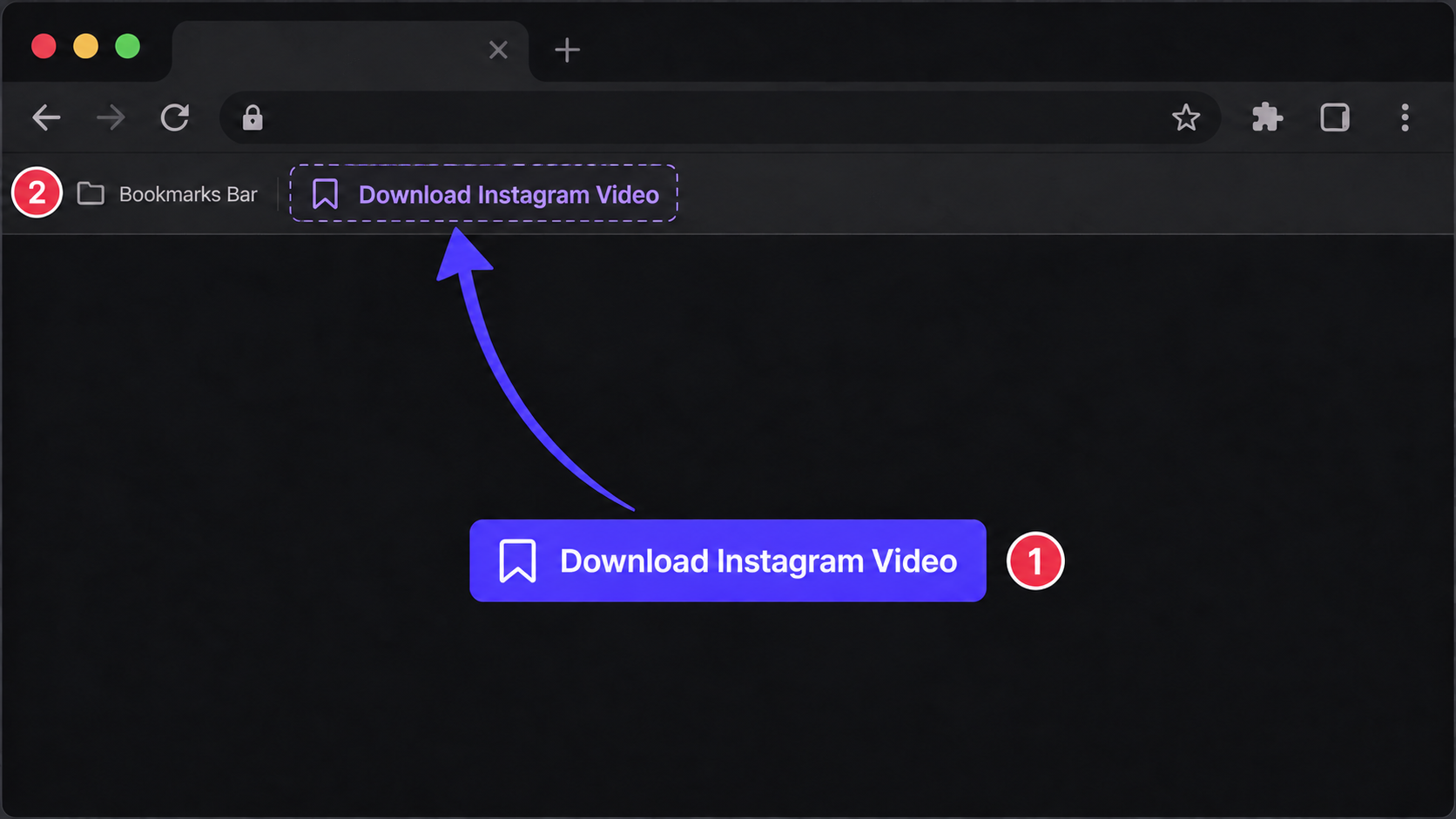
Three steps to finish the browser workflow.
Copy the link to a public Instagram video, then paste it above.
Find the available videos and cover images in the public post.
Choose a video or cover to save. If fetching fails, open the original media link.
Core details about privacy, browser support, output, and practical limits before you start.
Supports public Instagram Reel and video post links.
Save each available MP4 video and its cover image to your device.
Your browser fetches the video or cover directly and saves the file. If fetching fails, you can open the original media link in a new tab.
Find quick answers about privacy, browser support, exports, and what to try when a file is heavy.
Continue editing with nearby ArtPlayer tools that work with the same local, browser-first workflow.